Adding Icons Next to Fields

I just saw a Community post for a functionality that I haven’t seen before and wanted to capture this in my knowledge base (aka, this wiki). So shout out to Robert, who posted this, for showing me something new!
Adding a field decoration
Have you ever wanted to display an icon next to a field on your back-end form? Well, turns out you can do that. This could be for any use case – showing a error icon if a certain value is inputted into a box, for example, to supplement a g_form.showFieldMsg.
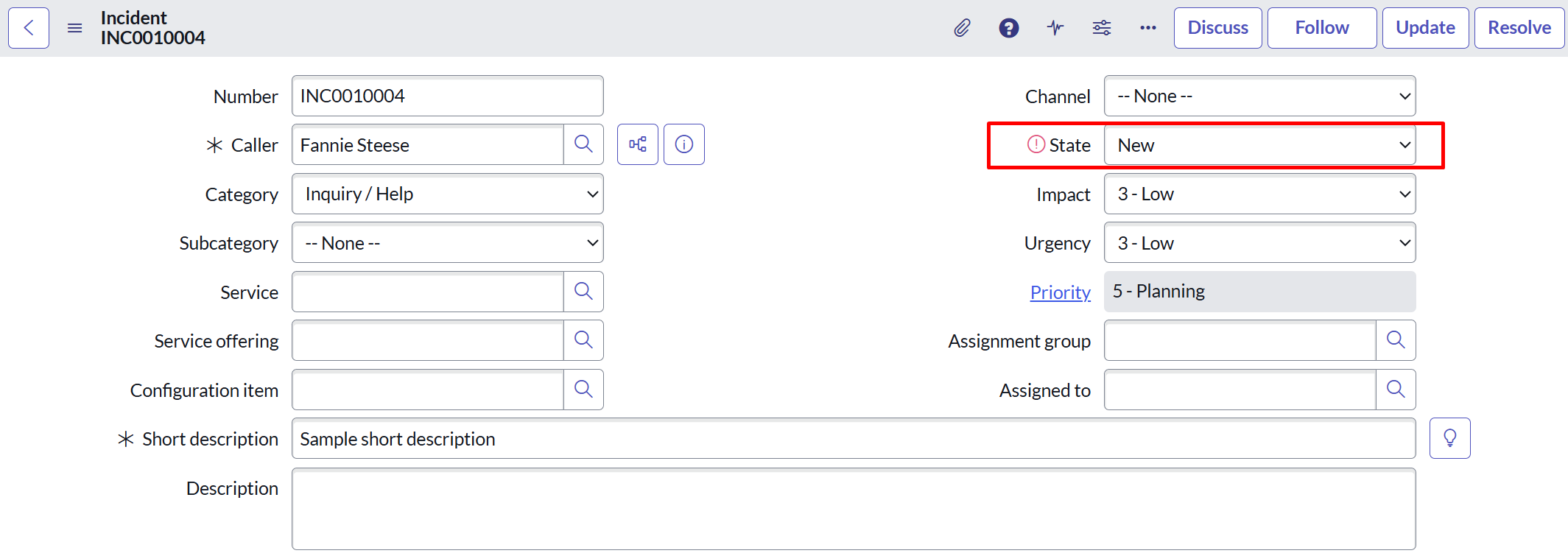
For my use case, I’m simply showing a different icon depending on the State of an Incident. This is a super quick example I threw together so this won’t be that long of a post. If the State is New, we’ll see this red icon appear:
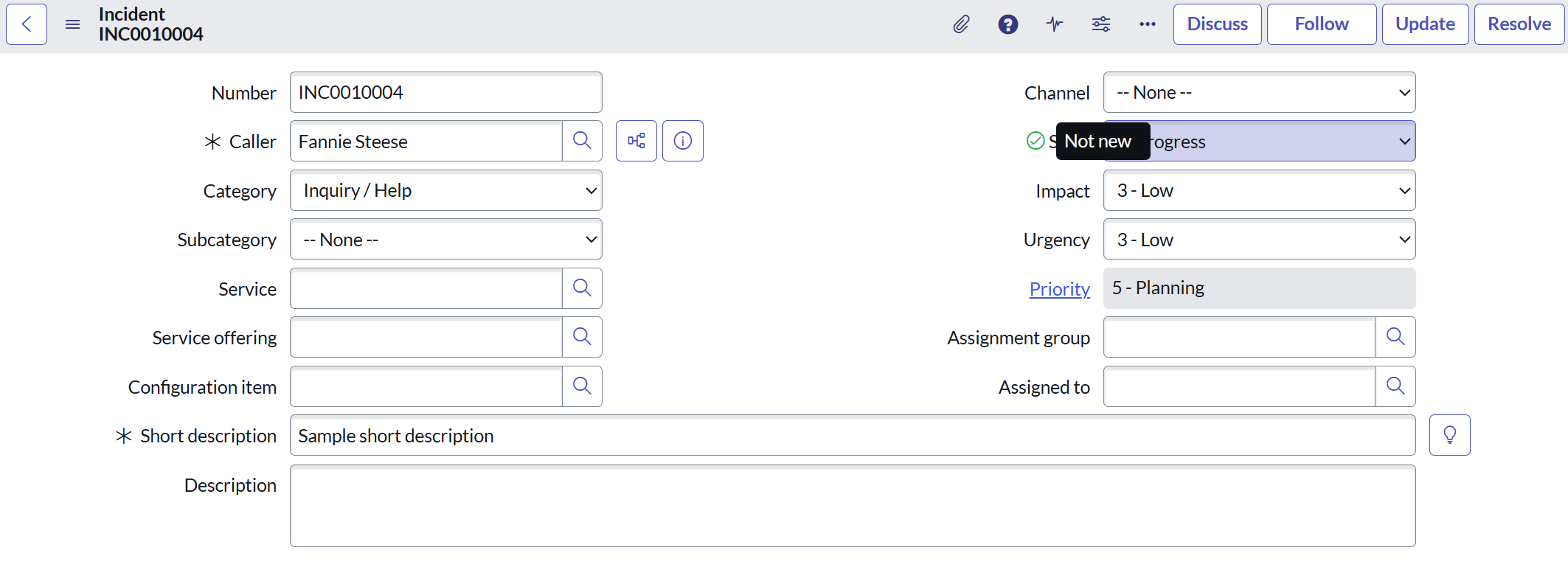
And if the State is anything else, we’ll see a green check mark, and can also add hover-over text:
This is super easy to set up. I set it up in an onLoad client script – I’d recommend using an onChange as well, to make changes on the fly, and only had to use the addDecoration() method. Check it out:
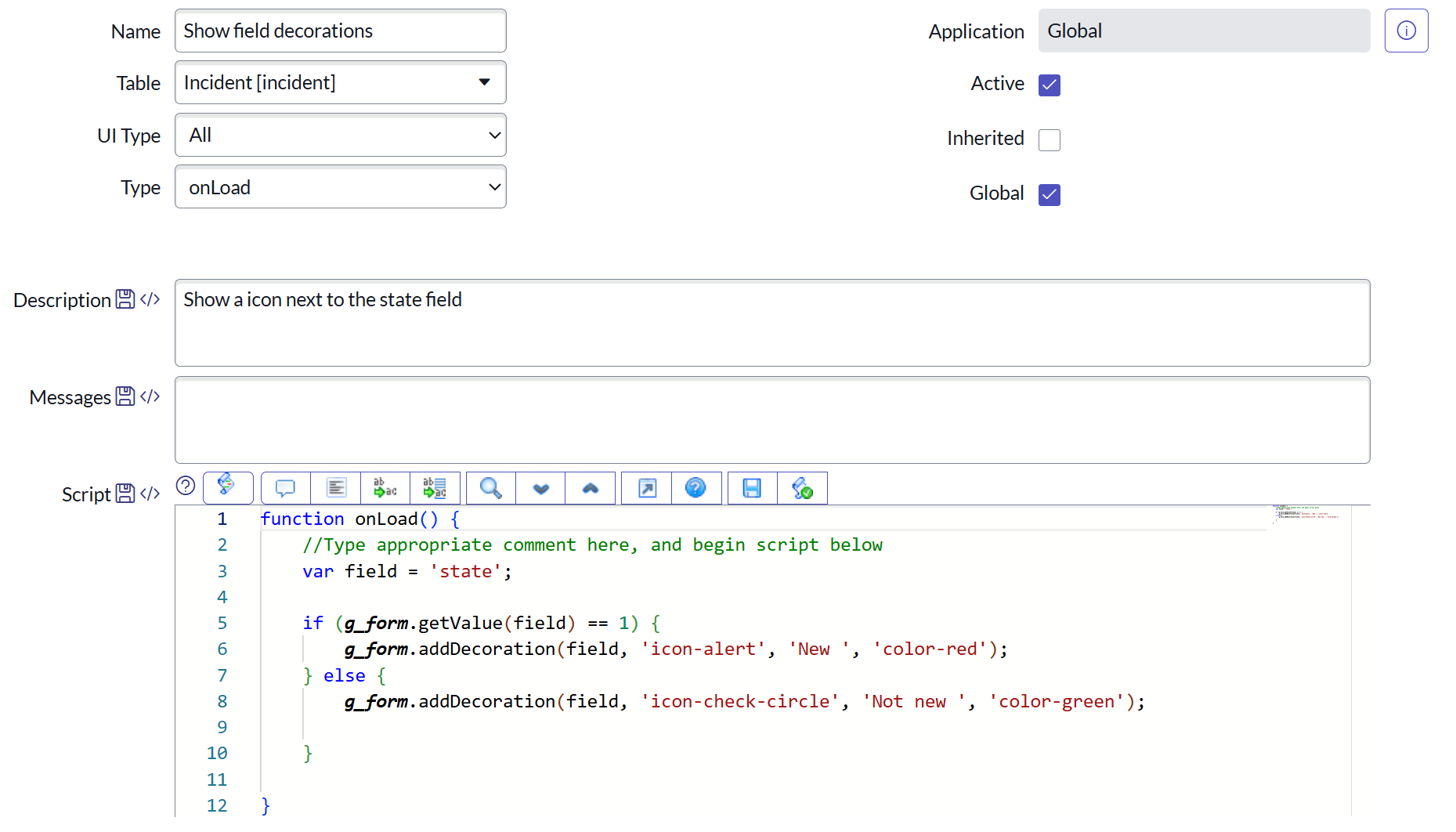
Using the syntax g_form.addDecoration(<field_name>, <icon_name>, <hover-over-text>, <color (optional)>, we can easily add our decorations. Each of these values, as you can see in the screenshot, should be inputted as a string.
Also, quick reminder that you can check out what parameters to pass through by hovering over the box on the function name. The fourth value in this is seemingly optional – but OP (Robert from the Community post) included it, and it looks great to me.
